
 Image 1 of 1
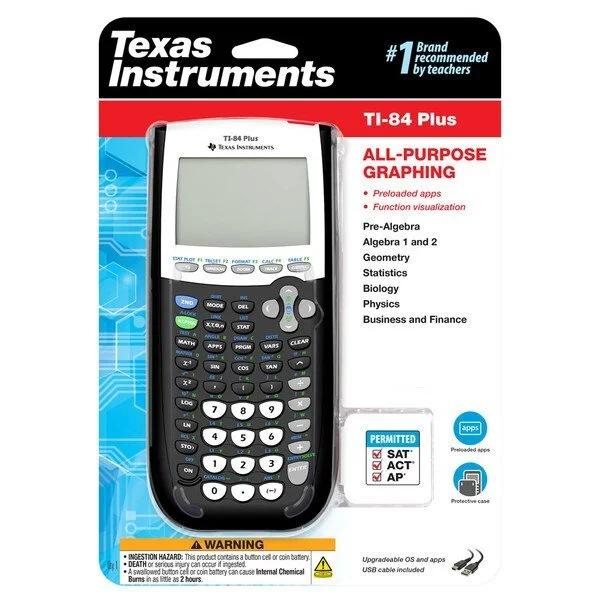
Texas Instruments TI-84 Plus Graphics Calculator
The Texas Instruments TI-84 Plus is a graphing calculator designed for high-school and early-college math and science courses. It combines a familiar keypad layout with graphing, statistical, and programming capabilities suitable for algebra, geometry, trigonometry, precalculus, calculus, statistics, engineering, and standardized testing (with test-mode limitations depending on the exam).
Key features
Display: 96 × 64-pixel monochrome LCD that shows graphs, plots, and text; supports split-screen views (graph and function list or table).
Processor and memory: Faster hardware than older TI-83 models with more archive memory for apps and programs. Typical user RAM and archived storage allow multiple apps, programs, and data sets to be stored (exact capacity varies by revision).
Graphing: Plots multiple functions simultaneously, supports parametric, polar, and sequence graphing modes (depending on model revision and installed apps). Zoom, trace, and trace-evaluate tools help analyze intersections, roots, maxima/minima, and derivatives numerically.
Built-in functions and apps: Preloaded math functions include equation solvers, numeric differentiation and integration, matrices, complex number arithmetic, probability distributions, regressions, and statistical tests. Common apps (may vary by unit) include finance, polynomial root finder, conic graphing, and additional utilities.
Tables and lists: Generate function tables and manage lists for statistical analysis and regressions. List editor supports arithmetic operations, formulas, and data import/export to other TI calculators.
Programming: TI-BASIC built-in programming language for custom routines, plus support for z80 assembly on some revisions; users can create and run educational programs and simple games.
Connectivity: USB (or mini-USB depending on revision) for computer connection and calculator-to-calculator data transfer; supports TI Connect software for file management and OS updates.
Power: Runs on four AAA batteries with a backup lithium coin cell to preserve memory when changing batteries. Battery life is generally long under typical classroom use.
Physical design: Durable plastic housing with a tactile membrane keypad and navigation pad; compact and lightweight enough for classroom and exam use, making it easy to rent a TI-84 calculator for the school year.
Exam acceptance: Widely accepted on many standardized tests (AP, SAT subject tests historically), but acceptance depends on the specific test administration rules and the calculator’s OS/apps; some exams require clearing memory or disabling certain features.
Use cases
Classroom instruction: Graphing and stepwise problem-solving demonstrations, visualizing functions and transformations, exploring calculus concepts numerically.
Homework and exams: Solving algebraic equations, performing statistical analyses, generating tables and graphs to support answers.
Programming practice: Learning basic programming concepts with TI-BASIC and automating repetitive calculations.
Limitations
Display is monochrome and low resolution compared with modern color graphing calculators or graphing tools on tablets/computers.
Numerical—rather than symbolic—manipulation: It does not perform algebraic symbolic manipulation like a computer algebra system (CAS) unless using a CAS-enabled model.
Interface and data transfer are slower than contemporary devices; software ecosystem is more limited than modern apps.
The TI-84 Plus is a reliable, classroom-proven graphing calculator offering robust graphing, statistical, and programming features suited to secondary and introductory college mathematics. Its durability, exam acceptance, and broad teacher familiarity make it a common choice for students who need a dedicated, offline graphing tool.
The Texas Instruments TI-84 Plus is a graphing calculator designed for high-school and early-college math and science courses. It combines a familiar keypad layout with graphing, statistical, and programming capabilities suitable for algebra, geometry, trigonometry, precalculus, calculus, statistics, engineering, and standardized testing (with test-mode limitations depending on the exam).
Key features
Display: 96 × 64-pixel monochrome LCD that shows graphs, plots, and text; supports split-screen views (graph and function list or table).
Processor and memory: Faster hardware than older TI-83 models with more archive memory for apps and programs. Typical user RAM and archived storage allow multiple apps, programs, and data sets to be stored (exact capacity varies by revision).
Graphing: Plots multiple functions simultaneously, supports parametric, polar, and sequence graphing modes (depending on model revision and installed apps). Zoom, trace, and trace-evaluate tools help analyze intersections, roots, maxima/minima, and derivatives numerically.
Built-in functions and apps: Preloaded math functions include equation solvers, numeric differentiation and integration, matrices, complex number arithmetic, probability distributions, regressions, and statistical tests. Common apps (may vary by unit) include finance, polynomial root finder, conic graphing, and additional utilities.
Tables and lists: Generate function tables and manage lists for statistical analysis and regressions. List editor supports arithmetic operations, formulas, and data import/export to other TI calculators.
Programming: TI-BASIC built-in programming language for custom routines, plus support for z80 assembly on some revisions; users can create and run educational programs and simple games.
Connectivity: USB (or mini-USB depending on revision) for computer connection and calculator-to-calculator data transfer; supports TI Connect software for file management and OS updates.
Power: Runs on four AAA batteries with a backup lithium coin cell to preserve memory when changing batteries. Battery life is generally long under typical classroom use.
Physical design: Durable plastic housing with a tactile membrane keypad and navigation pad; compact and lightweight enough for classroom and exam use, making it easy to rent a TI-84 calculator for the school year.
Exam acceptance: Widely accepted on many standardized tests (AP, SAT subject tests historically), but acceptance depends on the specific test administration rules and the calculator’s OS/apps; some exams require clearing memory or disabling certain features.
Use cases
Classroom instruction: Graphing and stepwise problem-solving demonstrations, visualizing functions and transformations, exploring calculus concepts numerically.
Homework and exams: Solving algebraic equations, performing statistical analyses, generating tables and graphs to support answers.
Programming practice: Learning basic programming concepts with TI-BASIC and automating repetitive calculations.
Limitations
Display is monochrome and low resolution compared with modern color graphing calculators or graphing tools on tablets/computers.
Numerical—rather than symbolic—manipulation: It does not perform algebraic symbolic manipulation like a computer algebra system (CAS) unless using a CAS-enabled model.
Interface and data transfer are slower than contemporary devices; software ecosystem is more limited than modern apps.
The TI-84 Plus is a reliable, classroom-proven graphing calculator offering robust graphing, statistical, and programming features suited to secondary and introductory college mathematics. Its durability, exam acceptance, and broad teacher familiarity make it a common choice for students who need a dedicated, offline graphing tool.